
Every DJ set is a new project — a unique situation, crowd, and vibe.
Djoid’s Chapter Builder helps you prepare intentionally, so you can perform with purpose, not just react in the moment.

Start with context, not just tracks
Before you even open Djoid, ask yourself:
- Where am I playing? (small club, big stage, beach, warehouse?)
- Who’s the crowd? (deep music heads, casual partygoers, mixed audience?)
- What time am I playing? (opening, peak, closing, after-hours?)
- How long is my set? (30 min? 3 hours? marathon?)
- What’s my intention? (warming up, headlining, supporting, experimenting?)
This is what shapes the skeleton of your chapters.
Lay down your chapter framework
Once you understand the context:
- Define your chapters — e.g., Warm-up, Momentum, Peak, Breakdown, Close, Emergency.
- Fill them with tracks that fit the mood and give you flexibility.
- Leave space for spontaneity — you’re not writing a script, you’re building a framework to play inside.
Lay down the skeleton of your performance
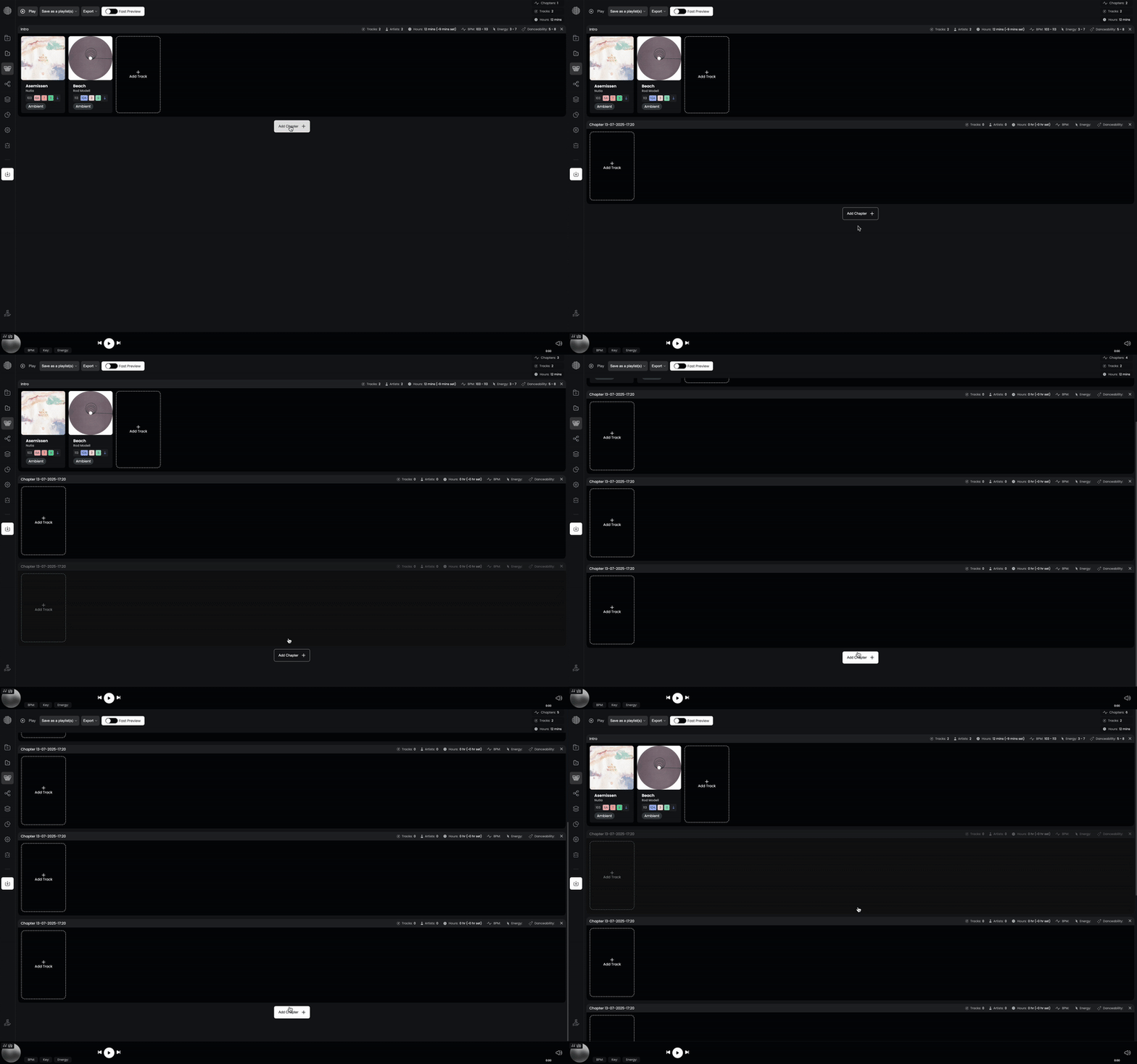
Start adding tracks to each chapter
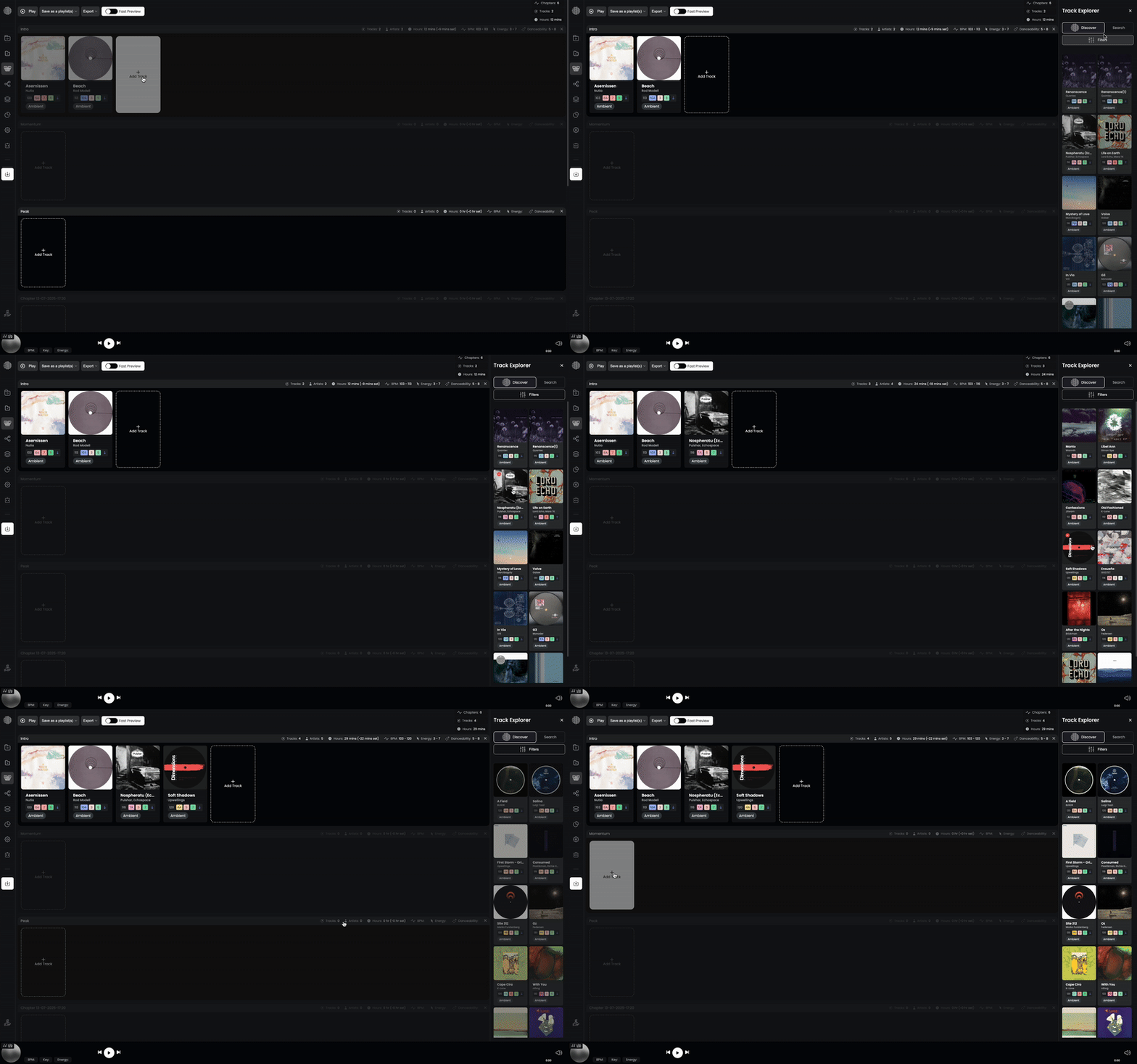
Watch Out: Search vs. Discovery
When exploring tracks inside Djoid, there are two ways to go:
SEARCH → Manual digging
- You control everything.
- Use the filters on the left sidebar (like genre, energy, mood) to narrow down what you’re looking for.
- Every result is purely based on your filters and input.
DISCOVERY → Smart recommendations
- Djoid actively suggests tracks it thinks fit the chapter you’re working on.
- The left sidebar can still influence Discovery, but Djoid’s matching system takes the lead.
- It’s a semi-automatic curation — great for inspiration, but you’re not in full manual mode.
Important tip:
Be intentional about which mode you want to use.
- Want full control? Stick to Search.
- Want to let Djoid help surface hidden gems? Use Discovery.
Mix and match as needed, just stay aware of how each mode shapes your playlist.
Pro Tips: Mastering Search & Discovery
Start with Search to get grounded
Begin by manually filtering and digging to get a feel for your library and set vibe.
Switch to Discovery for inspiration
When you’re stuck or want to expand a chapter, let Discovery surface suggestions you might overlook.
Use sidebar filters in both modes
Remember: the left sidebar (genres, energy, moods, etc.) affects both Search and Discovery — use it to keep results aligned to your vision.
Jump between modes
Some DJs work manual for key chapters (like Peak) but use Discovery for warm-up or backup chapters where they’re open to surprises.
Common Mistakes to Avoid
❌ Forgetting which mode you’re in
Curating a chapter and confused why unexpected tracks keep showing up? Check if you’re in Discovery.
❌ Relying only on Discovery
Discovery is powerful, but it’s not a replacement for your ear and taste. Combine it with manual selection.
❌ Ignoring filter influence
Even in Discovery, the sidebar matters. If your filters are too narrow or too wide, you may miss great options.
❌ Not trusting your instinct
Djoid is a creative tool — you are the artist. Don’t let recommendations replace your gut feeling.