The Filters panel in Djoid lets you narrow down your music library to exactly what you're looking for. Whether you're planning a set, digging for a vibe, or searching for tracks with specific technical or emotional qualities — the filters help you find them fast.
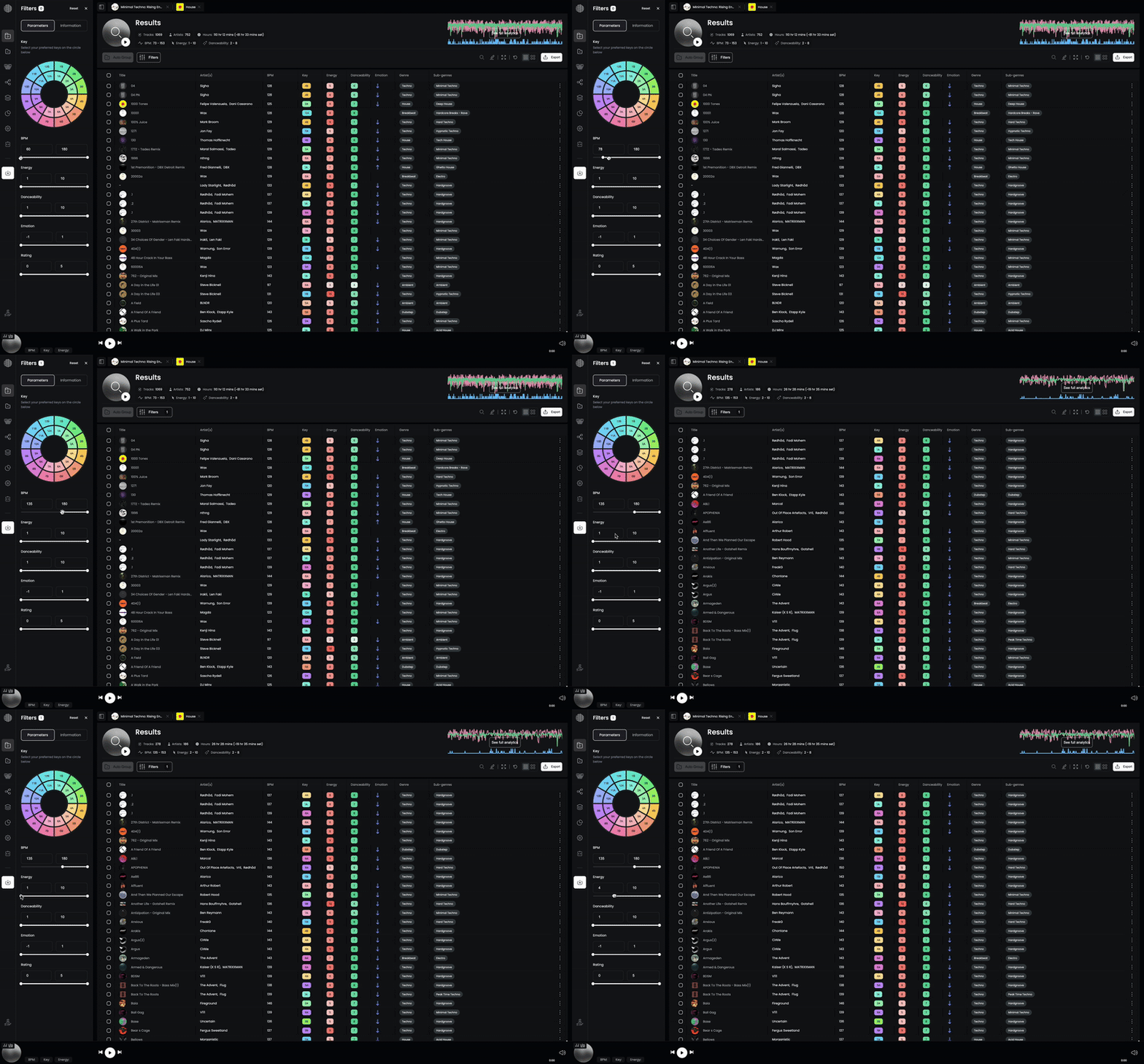
The filters are divided into two main tabs:
Parameters Tab
This tab lets you search tracks based on performance-relevant metadata, such as musical key, tempo, energy, and mood.
- Key Selector (Camelot Wheel)
Select compatible or preferred musical keys using the color-coded circle. Ideal for harmonic mixing.
- BPM Range
Set a tempo range to match the vibe or genre you're preparing.
- Energy
Filter by perceived intensity of the track, on a scale from 1 (low) to 10 (high).
- Danceability
Filter tracks by their groove and physical engagement potential — useful for flow planning.
- Emotion
Search by the emotional tone of a track. Range spans from -1 (melancholic) to +1 (uplifting).
- Rating
Filter by your personal track rating (0 to 5 stars).
Information Tab
This tab lets you filter based on descriptive metadata and tags.
- Show Tracks Imported Today
Toggle to quickly find newly added tracks.
- Track’s Name
Search by partial or full title.
- Artists
Filter by artist names.
- Tags
Use your custom tags to locate specific moods, tools, or use cases.
- Genres & Sub-genres
Drill down into broad or specific styles.
- Formats
Filter by audio format (e.g.,
.wav, .mp3, .aiff, etc.).- Rekordbox Genres & Comments
If you’ve imported from Rekordbox, use these to search your original tags and notes.
♻️ Reset Button
Clears all active filters and resets the search parameters.