Djoid’s interface is designed to feel intuitive, focused, and creative — like your own personal music lab. Here’s a breakdown of the main components you'll use daily:
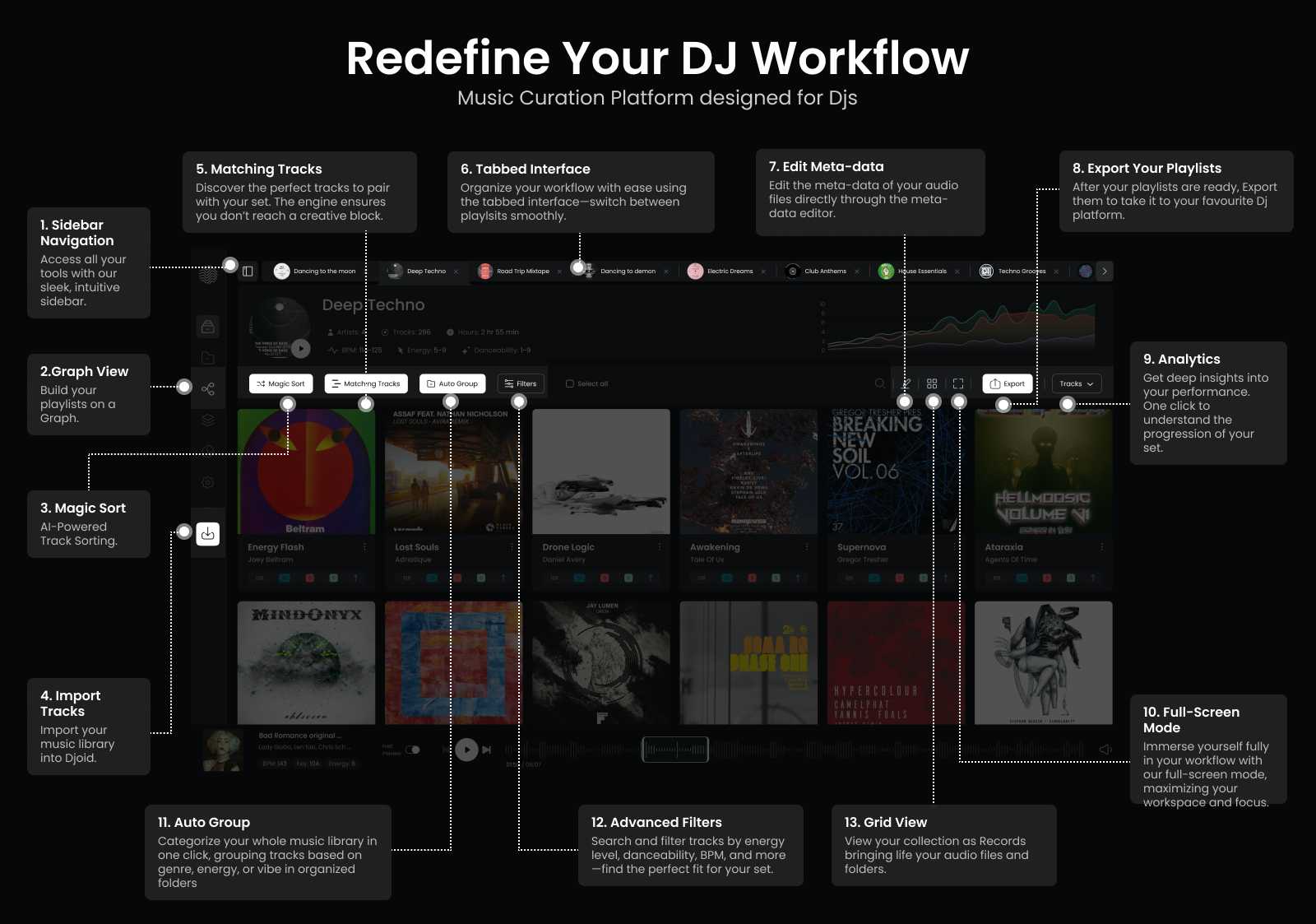
1. Sidebar Navigation
Access all major features from the left sidebar — Graph View, Library, Settings, and more — built for quick and clear navigation.
2. Graph View
Build your playlists visually. See how tracks connect across energy, emotion, and vibe to craft a coherent journey.
3. Magic Sort
Automatically arrange your tracks to tell a musical story — based on energy flow, genre, or vibe.
4. Import Tracks
Bring your collection into Djoid. You can import from Rekordbox, Serato, Traktor, Apple Music, or from local files.
5. Matching Tracks
Get instant suggestions for tracks that go well with what you're playing or preparing — harmonically and energetically aligned.
6. Tabbed Interface
Easily switch between different playlists, crates, or sessions. Multitasking and organizing made simple.
7. Edit Meta-data
Quickly refine track info — genre, comments, tags, or your own notes — directly within Djoid.
8. Export Your Playlists
Once you're ready, export playlists to your DJ software or as a reference list. Bring your prep to the booth.
9. Analytics
Get a clear view of the energy progression of your set. Great for reviewing or refining your set structure.
10. Full-Screen Mode
Need to focus? Use full-screen mode to immerse yourself in curation without distractions.
11. Auto Grouping
Categorize your music by vibe or energy in one click. Djoid automatically creates logical groups.
12. Advanced Filters
Search tracks using rich filters: BPM, key, genre, energy, danceability, and more — to find the perfect fit.
13. Grid View
View your collection visually — just like crate digging with cover art and folders.